E-commerce SEO
We work on categories, product pages, filters and product data so that Google can read and understand them. This covers standard results, product results and AI answers.
30-minute call, free and with no obligation


What makes e-commerce SEO different
E-commerce SEO follows the same rules as SEO for any website. What differs is the scale, where products appear, and the technical issues.
Thousands of URLs
A company website has a few dozen pages, while a store has thousands. A mistake in the product page template repeats across every product at once, so one template fix repairs them all.
Categories answer buying queries
Queries such as “women's trekking boots” have high demand and a clear buying intent. Category pages answer them, which is why we start work on a store with its category structure and descriptions.
Filters and variants
Colour, size, sorting and filters create thousands of almost identical URLs. When no one controls them, Google's crawler wastes time on them and new products take longer to get indexed.
Products in results and AI
Beyond a regular link, a product can appear in free product results, in the Shopping tab and in AI answers. This requires structured data and a Google Merchant Center account.
What we do in your store
We work in five areas. We start with the one that causes your store the most problems.

Categories and filters
We build the category structure around commercially important keywords and tidy up the filters. Combinations with real demand stay in the index, and the rest are hidden from Google.

Product pages
We improve titles, descriptions, specifications, photos and reviews so that they answer the questions customers ask before buying.
Product data
We implement Product and Offer structured data and prepare a feed in Google Merchant Center, which Google uses for product results.

Guides and content
We write buying guides and comparisons for people who are still choosing a product. They lead to the right category.
Revenue measurement
We measure organic revenue in GA4 by category and product, along with visits to each of these pages.
We'll check what is holding your store back
In 30 minutes we review your store's visibility, category indexing and filters, and point out where it makes sense to start.
What online stores come to us with
Here are the problems store owners report to us most often, and how we solve them.
Google traffic is growing, but sales are flat.
What we do about itWe check which keywords bring the traffic and which pages it lands on. We shift the work to categories and products with buying intent, and judge the results by revenue from organic traffic.
Allegro, Ceneo and big brands rank higher for product keywords.
What we do about itWe choose long-tail categories and keywords where your store can compete with larger shops. In parallel, we work on visibility in free product results.
Google indexes thousands of filters, while new products wait a long time to enter the index.
What we do about itWe tidy up filters, parameters and duplicates so that Google's crawler spends its time on the pages that are meant to sell.
After changing platforms, the store lost traffic.
What we do about itWe restore missing redirects, content and internal links. Before the next migration, we prepare an implementation plan.
Your products in Google and AI
A customer can find your products in three places. We work on visibility in each of them.

Product results
Products in Google, the Shopping tab and Images
Beyond regular results, Google shows free product information: a photo, price, availability and reviews. It comes from Merchant Center and from your store's structured data.

AI summaries in Google
AI Overviews and AI Mode
For questions such as “espresso machine under PLN 2,000”, Google may answer with a list of products and a comparison. We prepare categories and guides that answer such questions directly.

AI shopping assistants
Shopping with an AI assistant
Customers ask AI assistants what to buy and where. Some of them show product cards with prices and links to stores. We check whether your store appears in such answers and work on its visibility.
We'll check whether AI recommends your products
We'll show which AI answers feature your store and which feature your competitors.
E-commerce SEO step by step
We start e-commerce SEO with an audit and the category structure. The next stages cover implementation, revenue measurement and setting further priorities.
-
Store SEO audit
We check the whole store: indexing, filters, duplicates, speed, structured data and Merchant Center.
Resulta list of changes ranked by impact on revenue
Step 1
-
Structure and keywords
We assign keywords to categories, subcategories and filters, and plan new categories and guides for the next stage of work.
Resulta category map based on demand
Step 2
-
Categories and product pages
We improve titles, descriptions, internal linking, variants and unavailable products, as well as structured data and the product feed.
Resulttidied-up categories and product pages
Step 3
-
Content, links and scaling
We write guides, build links to the highest-margin categories and report revenue from organic traffic. Together with you, we set the next priorities.
Resulta revenue report and a list of next priorities
Step 4
SEO for online stores on your platform
Every e-commerce platform has its own limitations and typical mistakes.
E-commerce SEO on Shopify
Shopify is a platform where a store runs fast and reliably, without constant developer support. It suits brands that want to start selling quickly, including abroad.
The platform sets some of the settings itself, so SEO on Shopify relies mainly on the structure of collections, the content of categories and products, and the choice of theme and apps.
30-minute call, free and with no obligation
SEO strengths
- Fast and stable without developer support
- Ready-made themes that work well on mobile
- Easy selling in several markets
Things to watch
- Less control over technical SEO
- Apps that slow the store down
E-commerce SEO on PrestaShop
PrestaShop gives full control over the store, so almost any SEO change can be implemented. It is often chosen by stores with large catalogues that have their own team or an IT agency.
The default settings need tuning, and speed and tidy filters have to be looked after on your side. That is why with PrestaShop we usually start with technical issues and develop content later.
30-minute call, free and with no obligation
SEO strengths
- Full control over code and template
- A wide choice of SEO modules
- Good for large catalogues
Things to watch
- The default settings need tuning
- Filters that easily create duplicates
E-commerce SEO on WooCommerce
WooCommerce runs on WordPress, so the store, blog and guides sit in one place. This makes it easier to link content to categories and products.
Speed and tidiness need the most attention: good hosting, a sensible number of plugins and control over which subpages reach Google.
30-minute call, free and with no obligation
SEO strengths
- Freedom in content and on the blog
- Store and guides in one system
- Proven SEO plugins
Things to watch
- Speed depends on hosting
- Too many plugins and unnecessary subpages
E-commerce SEO on Shoper
Shoper is a Polish platform where you don't have to manage a server, and basic SEO settings are changed in the admin panel. It suits smaller and mid-sized stores that want to start quickly.
Some technical changes depend on what the platform and template allow. On Shoper, what matters most is therefore the category structure, descriptions and content, which you fully control.
30-minute call, free and with no obligation
SEO strengths
- Basic SEO settings in the admin panel
- No server to worry about
- A quick start for smaller stores
Things to watch
- Technical changes within the platform's limits
- Less freedom in the template
E-commerce SEO on other platforms
We also do SEO for stores on Magento, IdoSell, Sky-Shop, Comarch e-Sklep and custom-built systems. The SEO principles are much the same everywhere: structure, content, technical issues and links.
The differences lie in what you can change yourself and what requires a developer or platform support. At the start, we check what your system allows, so that the plan can actually be implemented.
30-minute call, free and with no obligation
We also do SEO for stores on
- Magento (Adobe Commerce)
- IdoSell
- Sky-Shop and Comarch e-Sklep
- Custom and headless systems
How much does e-commerce SEO cost?
The cost of e-commerce SEO depends on the number of products, competition in the industry, the platform and the number of markets. We prepare a quote after a short analysis.
Small store
A store with up to about 1,000 products in one language version. The scope covers technical issues, categories, the key product pages and guides.
Most often forniche stores and new stores
Mid-sized store
Several thousand products, extensive filters and variants. Structure, product data and content require more work.
Most often forstores that want to scale sales
Large store and many markets
Tens of thousands of products, language versions and sales abroad. We deal with crawl budget, hreflang language markers and separate keywords for each market.
Most often forbrands and stores selling abroad
Want to know the cost for your store? We prepare a quote after analysing your store's visibility and structure. The analysis is free.
Get a quoteCase study: Coffee & Sons
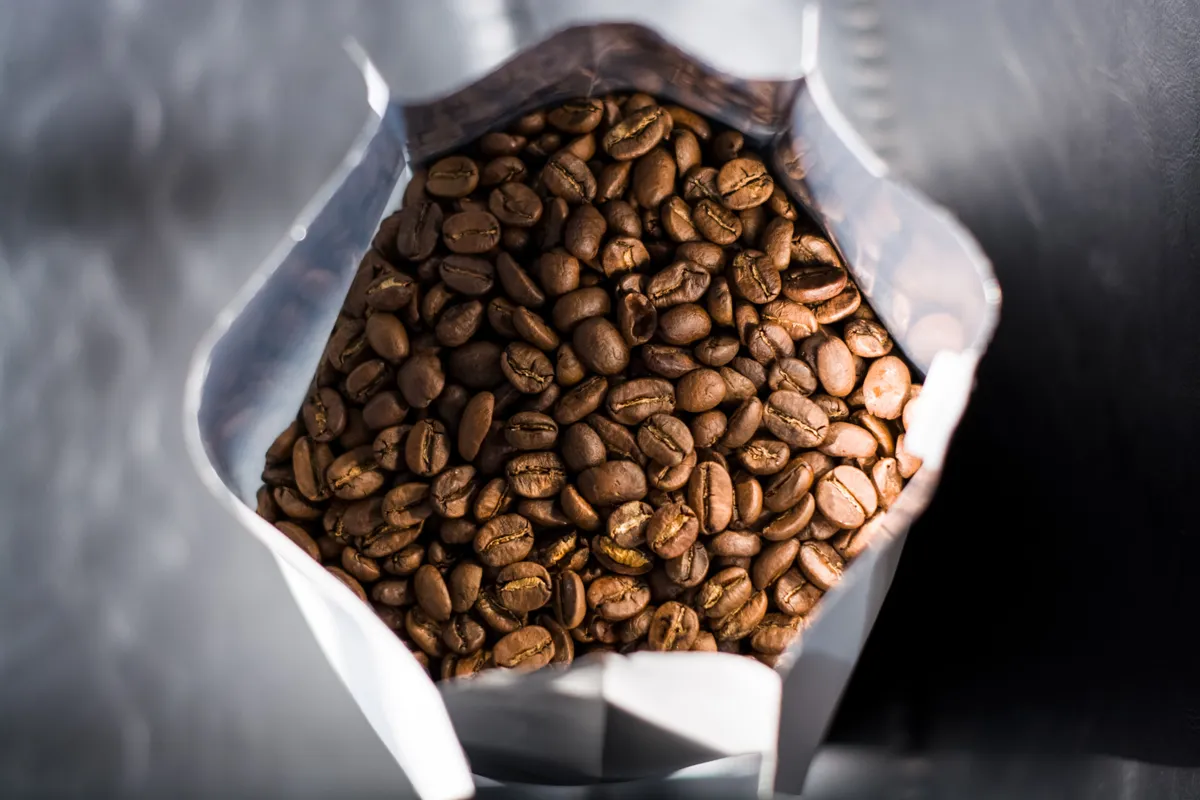
A family speciality coffee roastery was competing for category keywords with other roasters and large marketplaces.
 Speciality coffee store
+534%store keywords in the Google TOP 10 in two years
We carried out an audit, set up a new category structure, wrote category descriptions around keywords and launched a blog with guides. After two years, all the most important category keywords are in the TOP 5.
- 1.speciality coffeepreviously 22nd place
- 3.coffee for espresso machinespreviously 16th place
- 4.coffeepreviously 11th place
SEO compendium for e-commerce
How to do e-commerce SEO: structure, filters, product pages, technical issues, Merchant Center, AI, costs and revenue measurement.
Basics
Chapter 01 · BasicsWhat is e-commerce SEO?
How SEO for a store differs from SEO for a company website.
E-commerce SEO is the work of making a store's categories, products and guides rank high in free Google results and in AI answers to queries from people who want to buy something. The goal is not traffic on its own, but sales from organic results.
The principles are the same as for a company website: Google has to find the store, understand it and consider it the best answer. What differs is the scale and where the money is.
- Scale. A company website has a few dozen pages, while a store has thousands or hundreds of thousands of URLs. Every template error repeats across all product pages at once.
- Categories earn the most. Queries such as “women's trekking boots” or “grey corner sofa” have high demand and buying intent. Category pages answer such queries.
- Filters and variants. Each colour, size, sorting option and filter can create a new URL. Without control, Google wastes time on thousands of almost identical pages, and important categories wait in the queue.
- Products in results. A store can appear as a regular link, but also in product results, in the Shopping tab, in Images and in AI answers. This requires structured data and Google Merchant Center.
E-commerce SEO is an ongoing process. The range, prices, season and competition change, so a store needs continuous care.
Chapter 02 · BasicsHow Google evaluates stores: what we know from the leak and patents
Signals relevant to stores, with sources.
The 2024 leak of Google's internal documentation and Google's patents show several mechanisms that apply specifically to stores. They do not say how much each signal weighs, but they show what Google looks at.
- Google recognises pages that sell. The documentation contains a field
commercialScore, described as a measure of the document's commerciality: a value above zero means the page sells something [1]. A category page is therefore assessed as a selling page, not as an article, and competes with other stores. - Product reviews are assessed separately. Google stores the confidence with which it promotes or demotes a site for review content [2], and the probability that a page is a high-quality review [3]. Guides and product comparisons in a store are therefore subject to a separate quality assessment.
- Nearly identical products are filtered. Google has patented a method of limiting the number of almost identical items from the same seller in shopping results [4]. Ten variants with a copied description will not take up ten places in the results.
- Assessment of the whole site. The field
siteAuthoritydescribes the rating at the level of the whole domain [5]. Thousands of weak, empty product pages can also drag down good categories. - Buyer behaviour. The NavBoost system records, among other things, clicks that were “last and longest” for a given query [6]. A category after which the customer returns to Google and clicks a competitor sends a weaker signal than one where the search ends.
Caveat: the leak reflects the state in 2024, and the patent describes a method Google does not have to use. We treat this data as a direction and base decisions on data from a specific store.
- Google leak 2024:
PerDocData.commercialScore, Google's description: “A measure of commerciality of the document Score > 0 indicates document is commercial (i.e. sells something)” documentation - Google leak 2024:
CompressedQualitySignals.productReviewPDemoteSite, Google's description: “Product review demotion/promotion confidences. (Times 1000 and floored)” documentation - Google leak 2024:
CompressedQualitySignals.productReviewPUhqPage, Google's description: “The possibility of a page being a high quality review page.” documentation - Patent US9342849B2 “Near-duplicate filtering in search engine result page of an online shopping system” (filed 2013-09-19, granted 2016-05-17) Google Patents
- Google leak 2024:
CompressedQualitySignals.siteAuthority, Google's description: “site_authority: converted from quality_nsr.SiteAuthority, applied in Qstar.” documentation - Google leak 2024:
QualityNavboostCrapsCrapsData.lastLongestClicks, Google's description: “The number of clicks that were last and longest in related user queries.” documentation
Chapter 03 · BasicsSEO audit for an online store
What the audit involves and when to run it.
An SEO audit of a store is the starting point of every engagement. It answers three questions: what blocks sales from Google, what it costs the store, and where to start in order to see results fastest.
What a store SEO audit looks like
- Crawl of the whole store, e.g. in Screaming Frog: response codes, redirects, canonicals, duplicate titles and descriptions, category depth.
- Indexing in Google Search Console: how many pages are indexed, how many are excluded, and whether filters are in the index instead of categories.
- Filters, pagination and parameters: how many URLs they create and what share of crawling goes to them.
- Categories and product pages: titles, headings, descriptions, variants, unavailable products.
- Structured data and Merchant Center: errors, consistency of prices and availability.
- Speed: Core Web Vitals for categories and product pages on mobile.
- Competitors and keywords: what the stores in the TOP 10 rank for and where your store loses the most.
When to run a store SEO audit
At the start of e-commerce SEO work, before and after a migration, after a sudden drop in traffic, and after major changes to the range or template. In large stores it is worth repeating the technical review every quarter, because new products and filters change the structure all the time.
The result of the audit is not just a list of errors, but a list of tasks ranked by impact on revenue, with a description of what the developer should do. You can read more on our SEO audit page.
Chapter 04 · BasicsMost common mistakes in e-commerce SEO
Eight mistakes we see most often in audits.
We see these mistakes most often in store audits. Most of them come from the platform's default settings.
- Filters in the index – thousands of filter combinations indexed instead of categories.
- Manufacturer descriptions – the same texts that appear in dozens of other stores.
- Empty categories – categories with no products or with just one, which Google considers weak pages.
- Deleting products – removing unavailable product pages instead of keeping them with information or a redirect.
- The same title on many pages – a template that repeats the store and category name without differentiating the pages.
- Content loaded by script – descriptions, reviews and links visible only after JavaScript runs, which Google may read late or not at all.
- Migration without redirects – a new platform, new addresses and lost rankings built up over years.
- Measuring traffic instead of revenue – growing traffic from blog posts that do not lead to a purchase.
Structure and product page
Chapter 05 · Structure and product pageCategory structure and keyword selection
How to plan categories around what customers are searching for.
E-commerce SEO starts with structure. Every important group of queries should have its own category or subcategory that answers it.
Where to get keywords
- SEO tools – Ahrefs, Senuto or Semrush show keyword demand and the keywords competitors rank for.
- Google Search Console – keywords your store already appears for but which sit on page two or three of the results.
- Internal site search – what customers look for on your site often points to missing categories.
- Google Ads campaigns – the search terms report shows which queries actually sell.
Keywords for categories, products and guides
General keywords with high demand (“running shoes”) are assigned to categories. Long-tail keywords, meaning specific models, sizes and uses, are often better served by a subcategory or a product page. Questions (“how to choose running shoes”) are a topic for a guide that links to the category.
A good structure is shallow: important categories are two or three clicks from the homepage, and breadcrumbs show Google and the customer where a given page sits. One keyword, one page. Two categories competing for the same query weaken each other.
Chapter 06 · Structure and product pageFilters and faceted navigation
Which filters to index and which to hide from Google.
Filters are the biggest source of technical problems in stores. Colour, size, brand, price and sorting can together create millions of URL combinations, most of which show almost the same products.
Google's Search Central documentation recommends controlling which filter URLs the crawler may scan, because otherwise it wastes resources on unnecessary combinations and reaches new products later.
Which filters to index
The rule is simple: we index only the combinations that have search demand. “Red dresses” or “Nike women's shoes” can be separate landing pages with their own title, heading and description. “Red dresses size 38 sorted by price” no longer is.
| Type of URL | Example | What we do |
|---|---|---|
| Filter with demand | dresses / red | Stable, readable URL, own title, H1 and description, link in the navigation |
| Filter without demand | several filters at once | No indexing, crawling limited in robots.txt |
| Sorting and view | ?sort=price, ?view=grid | Canonical to the version without the parameter, no links for the crawler |
| Pagination | ?page=2 | Own canonical, normal links to subsequent pages |
Order matters. A page blocked in robots.txt cannot be read, so Google will not see the noindex or canonical tag on it. That is why we first tidy up the index and only then block crawling.
Chapter 07 · Structure and product pagePagination, sorting and duplicates
Where duplicates come from and how to tidy them up.
Content duplication in a store is rarely intentional. The platform usually causes it: a product available under several addresses because it sits in several categories, or versions with parameters, with and without a trailing slash, with “www” and without.
- Product in many categories – one main product address, with a canonical that all versions point to. Links in categories lead to the main address.
- Pagination – since 2019 Google has not used rel="next" and rel="prev" markup. Each listing page has its own canonical, because a canonical pointing to the first page makes it harder to index products on later pages.
- Manufacturer descriptions – the same description appears on ten other stores and price comparison sites. Google will pick one version, and a store with a copy usually loses to a stronger domain.
- Cannibalisation – a category, a filter and a blog post all targeting the same keyword. Google keeps changing which one it shows, and none of them grows.
When Google sees several very similar pages, it selects one of them as canonical itself and shows the others less often or not at all [1]. That is why, instead of multiplying similar pages, it is better to have one strong page.
- “How to specify a canonical URL for duplicate URLs”, Google Search Central
Chapter 08 · Structure and product pageInternal linking in a store
How to show Google which store pages matter most.
Internal linking tells Google which pages of the store are the most important. A category linked from the menu, the homepage, breadcrumbs and dozens of guides gets more attention than one that can only be reached through the store search.
- Menu and navigation – the most important categories, available from every page and visible in the HTML without running a script.
- Breadcrumbs – a link from each product to its category and parent categories.
- Links between categories – “see also” links to subcategories and related categories, e.g. from “running shoes” to “running socks”.
- Guides – links from the content to categories and products, with descriptive anchor text, e.g. the category name.
- Related products – accessories, replacements and similar models on the product page.
A common mistake is filters linked from thousands of places while important subcategories have not a single link from the menu. A crawl-based link analysis shows which pages get the most internal links, and whether these are the pages that are meant to sell.
Chapter 09 · Structure and product pageCategory and product descriptions that sell
Structure and content of descriptions that help customers choose a product.
A category description should help the customer choose a product. The best approach is a short introduction above the products and an expanded section below the listing: how the product types differ, how to choose a size, what to look for, with links to subcategories and guides.
Product page
- Title tag and H1 with the product type, brand, model and a distinguishing feature (colour, capacity), because that is how customers search.
- Own description instead of the manufacturer's copy: use case, who it is for, comparison with similar models, answers to questions from customer service.
- Specifications in a table – dimensions, material, composition. Easy to read for customers, Google and AI models.
- Photos and video with descriptive file names and alt text. Your own photos also help in Google Images.
- Delivery, returns and availability visible without searching. These are the answers that block a purchase.
With thousands of products, you cannot write everything by hand. We set priorities: first the products and categories with demand and margin, and for the rest, good title and description templates filled with data from the system. AI-generated content can help, but only with editing and real information about the product. Mass-produced, empty descriptions can lower the rating of the whole store.
Chapter 10 · Structure and product pageProduct variants: colours and sizes
Separate addresses or one page with a choice?
Variants are one of the most common decisions in store SEO: a separate address for each colour, or one product page with a choice?
| Situation | Better solution |
|---|---|
| Customers search for a specific variant (“iphone 15 blue”) | Separate variant addresses with their own title and photo |
| Variants differ only in size | One product page with a size selector |
| Many variants, but demand for only a few | One product page plus separate pages for the variants with demand |
Google supports structured data for groups of variants (ProductGroup with the hasVariant and variesBy properties). Based on them, Google recognises ten addresses as one product in different versions and can show the right variant in results.
It is important that the chosen variant has a stable address that can be opened from a link. A colour changed only by script, without a change of address, is invisible to Google.
Chapter 11 · Structure and product pageUnavailable and discontinued products
What to do with an address when a product is out of stock.
Deleting product pages that are temporarily sold out is a common mistake. The page loses rankings and links, and when the item returns it starts from zero.
| Situation | What to do with the address |
|---|---|
| Product temporarily unavailable | Keep the page (code 200), mark availability as OutOfStock or BackOrder, show replacements and a back-in-stock notification option |
| Pre-order | Page with PreOrder availability and a shipping date |
| Product discontinued, successor exists | 301 redirect to the new model or the closest replacement |
| Product discontinued, no replacement, page has traffic or links | Keep the page with information about the discontinuation and links to categories |
| Product discontinued, no traffic or links | Code 404 or 410, removal from the sitemap |
We do not redirect all removed products en masse to the homepage. Google treats such redirects like a 404 error (a so-called soft 404), and the customer lands on a page they did not look for.
Chapter 12 · Structure and product pageReviews and ratings in the store
Customer content, star ratings and comparison guides.
Customer reviews work twice over. They increase conversion and add unique content to the product page, written in the language of buyers: with questions, use cases and comparisons that are not in the description.
- Reviews on the product page, in the HTML of the page; an external widget loaded by script alone is not enough.
- Review and AggregateRating structured data, which Google can use to show stars in results. Ratings must come from the store's customers.
- Questions and answers under the product – another source of long-tail keywords.
- A request for a review after purchase, sent automatically a few days after delivery.
Guides and comparisons in the style of “best vacuum cleaners under PLN 1,000” are a separate category. Google describes in its documentation what it expects from such content: your own tests, photos, measurements and comparisons with alternatives [1]. A comparison without your own tests and photos, rewritten from manufacturer descriptions, has little chance.
- “Creating high-quality reviews”, Google Search Central
Store technology
Chapter 13 · Store technologyStructured data for an online store
Product, Offer, delivery, returns and variants.
Structured data (schema.org, usually in JSON-LD format) describes the product in a language Google reads without guessing: name, price, currency, availability, ratings, delivery cost and returns policy.
| Type | Where | What it gives |
|---|---|---|
| Product and Offer | Product page | Price, availability and condition in results and in free product information |
| AggregateRating and Review | Product page | Stars and number of reviews in results |
| OfferShippingDetails | Product page | Shipping cost and time shown with the product |
| MerchantReturnPolicy | Product page or the whole store | Returns information shown with the product |
| ProductGroup | Products with variants | Linking variants into one product |
| BreadcrumbList | Categories and products | Path shown in results instead of the address |
| Organization | Homepage | Logo, contact details and brand profiles |
The data must match what the customer sees. A different price in the code and on the page, or “in stock” on a product that is not, is an error that Google detects and may stop showing rich results for. Data in the code should also match the product file in Merchant Center.
We check correctness in the Rich Results Test and in the Search Console reports, which show errors across all products at once.
Chapter 14 · Store technologyStore speed and Core Web Vitals
LCP, INP and CLS in a store full of images and plugins.
Stores are usually heavier than company websites: many images, analytics scripts, chats, review widgets, recommendations and dozens of plugins. Each of these slows the page down, and a slow category on a phone loses both rankings and customers.
Google measures user experience with three Core Web Vitals metrics:
- LCP – how quickly the largest element loads, usually a product photo or banner.
- INP – how quickly the page responds to a click, e.g. choosing a filter or adding to the cart.
- CLS – whether elements jump around while the page loads.
The most helpful steps are usually: compressing images and using modern formats (WebP, AVIF), lazy loading images below the first screen, removing unused apps and plugins, deferring third-party scripts, and good hosting with caching. We take the data from the Core Web Vitals report in Search Console and PageSpeed Insights, because in addition to the lab test they show results from real users.
Chapter 15 · Store technologyIndexing and crawl budget for a large store
How to make sure the crawler reaches the important pages.
In a large store, Google does not crawl all addresses every day. Crawl budget, meaning the number of pages the crawler is able and willing to fetch, becomes a real limit when there are tens of thousands of products and filters.
- The indexing status report in Search Console shows how many pages are indexed, how many are excluded and why.
- Crawl statistics show how many addresses Googlebot fetches per day and how fast the server responds.
- Server logs show where the crawler actually goes. Often most visits go to filters and parameters, while new products wait for weeks.
- Sitemaps split into categories, products and guides make it easier to see which type of page has an indexing problem.
The goal is simple: the crawler should spend its time on pages that can sell.
Chapter 16 · Store technologyStore migration without losing traffic
Changing platform step by step.
A change of platform, for example from PrestaShop to Shopify or from WooCommerce to IdoSell, is the moment of greatest risk in a store's history. Addresses, templates, filters and structured data all change at once.
- Inventory of pages before migration – all addresses with traffic, links and sales (Search Console, GA4, crawl, link tools).
- Map of 301 redirects – every old category and product address redirected to its closest new equivalent, without redirect chains.
- Transfer of content and settings – titles, category descriptions, structured data, canonicals and filter rules.
- Test on a staging version – blocked from indexing, with a crawl and a comparison with the old version.
- Launch day – removing the block, a new sitemap in Search Console, checking redirects and 404 errors.
- Monitoring – traffic, indexing and sales from organic every day during the first weeks.
Temporary fluctuations after a migration are normal. A lasting drop usually means missing redirects, lost content or a changed internal link structure.
Chapter 17 · Store technologyInternational e-commerce SEO
Hreflang, keywords and links for each market.
Selling abroad, for example e-commerce SEO for Germany, the Czech Republic or the English-speaking market, means separate stores to Google: separate keywords, competition and links. Translating the Polish version is only the beginning.
- Version structure – separate country domains, subdomains or directories (e.g. /de/). Directories within one domain are usually the simplest to maintain and share the domain's strength.
- Hreflang – a marker showing which version is for which language and country. Each version must point to all the others and to itself, otherwise Google ignores the markers.
- Keywords for each market – a German searches differently from a Pole. We research keywords separately, using local tools and Google Ads data for the given country.
- Local trust – currency, payment methods, delivery and return costs, and customer reviews from that country.
- Links from the target market – Polish links will do little for the German version.
A separate feed in Merchant Center for each country also lets you appear in free product results in foreign markets.
Chapter 18 · Store technologySeasonality: Black Friday, holidays and sales
Permanent addresses instead of a new page every year.
Seasonal categories, such as “Mother's Day gifts” or “Black Friday”, have huge demand for a few weeks a year. Stores often create new pages for each promotion and then delete them. This way they start from zero every year.
- One permanent address for each promotion, without the year in the address. After the season the page stays up with information about the next edition and a notification sign-up.
- Preparation in advance – a seasonal page should be online and indexed several weeks before the peak in demand.
- Links from the menu and homepage in the period before the season, so that Google and customers reach it quickly.
- A content plan tied to the calendar – we publish gift and seasonal guides when customers start searching.
Seasonality shows in Google Trends data and keyword tools. On that basis we decide when in the year to prepare which categories.
Google, AI and results
Chapter 19 · Google, AI and resultsGoogle Merchant Center and free product results
Products in the Shopping tab, Images and Lens.
Google Merchant Center is the tool in which a store sends Google a product file (feed): names, prices, availability, photos, GTIN codes and delivery costs. It is associated with product campaigns in Google Ads, but it is also relevant to SEO.
Products from Merchant Center can appear for free, without paying per click: in free product information in the Shopping tab, in product results in search, in Images and in Google Lens. These are additional places in the results, alongside the regular link to the store.
What we check
- Consistency of the data in the feed with the structured data and with what the customer sees on the page: price, availability, variant.
- GTIN codes and brand, which let Google match your product with other offers for the same model.
- Quality of titles and photos in the feed: product type, brand, model and key features.
- Delivery costs and returns policies configured in Merchant Center.
- Rejected products and warnings that block part of the offer from showing.
A feed prepared for SEO also helps Performance Max and product campaigns, so the same work pays off in both channels.
Chapter 20 · Google, AI and resultsYour store in AI Overviews, AI Mode and ChatGPT
How to appear in AI answers with product recommendations.
More and more customers start shopping with a question such as “what cordless vacuum for an apartment with a cat?”. Answers come from AI Overviews and AI Mode in Google, ChatGPT, Gemini or Perplexity. They show a list of products, a comparison and links to stores.
- Google AI Overviews and AI Mode draw on the search index and Google's product data, including Merchant Center. A store with good product data and content that answers questions has a better chance of being cited.
- ChatGPT shows product cards with prices and links to stores. Among other sources, it uses search results and data published by stores.
- Content that AI cites is short, direct answers, specification tables, comparisons and buying guides with a clear verdict on who the product is for.
- Reviews and brand mentions elsewhere on the web, e.g. in rankings, forums and trade media, influence which stores and brands an AI model recommends.
We measure visibility in AI separately: we check which answers feature the store, which products the AI recommends, and how much traffic arrives from AI assistants in GA4.
Chapter 21 · Google, AI and resultsLink building for an online store
Where a store can get valuable links.
Stores find links harder to get than sites with content, because few people want to link to a product list. That is why link building in e-commerce relies on a few proven sources:
- Guides and comparisons that blogs and forums like to link to.
- Cooperation with manufacturers – links from distributor lists or “where to buy” pages.
- Sponsored articles on topical portals, with natural anchor text and a link to the relevant category.
- Product reviews by creators and in trade media.
- Data and reports, e.g. on shopping trends in your category, which the media cite.
We build links to the categories with the greatest demand and margin, and spread their strength through internal linking from guides and the homepage. We avoid link farms and link exchange schemes, which give a short-lived effect and carry a risk of a filter.
Chapter 22 · Google, AI and resultsHow to measure results: organic revenue
GA4, revenue by category and a simple return formula.
Rankings and traffic are signposts, but in a store what counts is revenue. Measuring it requires properly implemented e-commerce tracking in GA4: view_item, add_to_cart, begin_checkout and purchase events with the order value.
What we report
- Revenue and number of transactions from organic traffic, compared year on year to remove seasonality.
- Revenue by landing page: which categories and products sell from Google.
- Visibility in Search Console for category and product keywords.
- Share of organic in sales compared with Google Ads and other channels.
How to calculate the return
A simple model: organic revenue × margin = gross profit from SEO. We compare it with the cost of e-commerce SEO and with what the same traffic would cost in Google Ads. Example: a store with a 30% margin sells PLN 60,000 a month from organic, which yields PLN 18,000 of gross profit. With an SEO cost of PLN 5,000, the return is clear, and the traffic does not disappear when a budget is switched off, as it does with a campaign.
Chapter 23 · Google, AI and resultsHow much does e-commerce SEO cost, and how long does it take?
Market rates, price factors and the time to results.
The cost of e-commerce SEO depends on the size of the store, competition in the industry, its technical condition and how fast you want to grow. On the market, monthly retainers usually start at around PLN 2–3k for small stores in low-competition industries, and for large stores and difficult categories can reach PLN 10k or more.
| What affects the price | Why |
|---|---|
| Number of products and categories | More pages to optimise and more content |
| Competition in the industry | Strong players and marketplaces require more content and links |
| Technical condition and platform | Filters, duplicates and platform limits increase the scope of work |
| Number of markets and languages | Each language version means separate keywords and content |
Offers at a few hundred PLN a month usually do not cover even the cost of the tools and the real work. They rely on cheap links, which at best achieve nothing.
When results come
| Stage | Approximately | What happens |
|---|---|---|
| Audit and technical fixes | Months 1–2 | Order in the index, filters and duplicates |
| First gains | Months 3–6 | Long-tail categories and keywords where the store was close to the TOP 10 |
| Sales growth | Months 6–12 | Main categories, guides and links working together |
Where technical errors were blocking indexing, the first results can appear sooner. A new store on a young domain usually needs more time.
Chapter 24 · Google, AI and resultsDo it yourself or with an SEO agency?
A comparison and questions to ask before signing a contract.
Doing e-commerce SEO yourself is possible, especially at the start and in a small niche. The basics, meaning titles, category descriptions, tidy product data and Search Console, can be handled by the owner or someone on the team.
| Do it yourself | With an SEO agency | |
|---|---|---|
| Cost | Team time and tools (usually a few hundred PLN a month) | Retainer, tools included in the price |
| Knowledge | Has to be acquired, often by trial and error | Experience from many stores and industries |
| Technical side | Difficult without developer support | Tasks ready for a developer to implement |
| Best for | Small stores starting out, low competition | Stores with thousands of products and strong competition |
Before you commission e-commerce SEO, ask the agency about: examples of stores and results in revenue and rankings; how they report; where the links come from; who implements the technical changes; and what stays with you when the cooperation ends. A guarantee of first place in Google is a warning sign.
Companies that grow with us
-
 Stara Wieś Resort & OdnowaTourism
+1199%conversion value off-season
In season, conversion value rose by 160%, and off-season more than twelvefold. The resort now sells all year round.
View case study -
 UX solutions leaderB2B
1m USDcontract from a demand generation campaign
A demand generation campaign for a European market leader brought threefold growth and a USD 1m contract.
View case study -
 Coffee & SonsE-commerce
>1100%campaign ROAS in Q4
Campaigns built for the most important quarter of the year in specialty coffee sales.
View case study -
 Coffee & SonsE-commerce
>610%return on ad spend
Education about specialty coffee became the most effective sales channel for a family roastery.
View case study -
 Coffee & SonsE-commerce · SEO
+203%keywords in the Google TOP 10
A year of work on the visibility of a specialty coffee store in search results.
View case study -
 Coffee & SonsE-commerce
+180%budget YoY at ROAS >520%
Scaling ad spend without losing ROAS.
View case study -
 BLPaczkaB2B
VAT ID (NIP) validation that transformed a B2B campaign for a parcel shipping tool from the Base.com Group.
View case study -
 Moderno MebleE-commerce
How an upper mid-range furniture brand moved from dependence on marketplaces to brand-led growth.
View case study -
 Software houseIT / software house
120k USDrevenue in 2 months
An ABM strategy and a LinkedIn campaign opened foreign markets: 11 leads and 4 sales.
View case study
Questions about store SEO
Answers to the questions we hear most often before starting a project. If your question is not here, write to us.
Ask a questionHow much does e-commerce SEO cost?
The price depends on the number of products, competition, the platform and the number of markets. We will prepare a quote for your store after a short analysis.
How long does e-commerce SEO take, and when do results show?
The time depends on the technical condition of the store, competition in the industry and the age of the domain. We do not promise positions or a timeline for results. After the audit we will tell you which changes matter most and the order in which we implement them.
How is e-commerce SEO different from SEO for a company website?
The difference lies in the scale and in where products appear. A store has thousands of addresses, and filters and variants create duplicates. Product results, Merchant Center and product structured data also come into play.
How do I start e-commerce SEO?
With an SEO audit of the store, covering indexing, filters, duplicates, speed and structured data. Next we prepare a map of keywords assigned to categories. Only on that basis do we write descriptions and guides and build links.
Which platforms do you do SEO for?
We work with Shopify, PrestaShop, WooCommerce, Shoper, IdoSell, Magento and custom-built systems. Some changes require access to a developer or platform support.
Does SEO include Google Merchant Center?
Yes. The product feed and structured data affect whether products appear in free product results, in the Shopping tab and in Images. We check the consistency of the data, rejected products and the quality of titles in the feed.
SEO or Google Ads for a store?
It is best to use both channels. Google Ads and product campaigns work from day one, while SEO is a channel with no fees per click. Campaign data also shows which keywords sell best.
Do I need to write descriptions for all products from scratch?
No. We start with the products and categories with the greatest demand and margin. For the rest we prepare title and description templates filled with data from the system, and gradually replace the manufacturer's copy.
What should I do with products that are out of stock?
Do not delete them. A temporarily unavailable product stays on the site with availability information and a suggestion of replacements. A discontinued product we redirect to its successor, or leave up with information if it has traffic and links.
Are category descriptions necessary?
Yes, but not as a long block of text above the products. The best approach is a short introduction and an expanded section below the product list, which helps customers choose and links to subcategories and guides.
Does a blog help e-commerce SEO?
Yes, if it is linked to the store's range. Buying guides and comparisons answer customers' questions, can attract links and lead to categories. Posts unconnected to the range attract traffic that rarely ends in a purchase.
How do I avoid losing traffic when changing my store's platform?
The migration has to be prepared before the platform change: list the addresses with traffic and links, draw up a 301 redirect map, transfer content and settings, test everything on a staging version, and monitor the store after launch.
Can a store appear in ChatGPT and AI Overviews?
Yes. AI assistants and AI summaries in Google show products and stores. Their presence can be influenced by good product data, guides with clear answers, customer reviews and brand mentions elsewhere on the web.
Can I do e-commerce SEO myself?
The basics can be implemented on your own: titles, category descriptions and tidy product data. With thousands of products, filters and strong competition, however, you need tools and experience, which is why many stores work with an SEO agency.
How do you measure the results of e-commerce SEO?
In GA4 we check revenue and transactions from organic traffic, comparing them year on year. We also analyse sales by category and visibility in Search Console. You receive a report with the results, the work done and a plan for the next stage.
What does SEO for online stores cover?
It covers category structure, category and product descriptions, order in filters, structured data, store speed and linking. Added to this is the product feed in Google Merchant Center, which makes products appear in shopping results as well.